MPE instruments
Four instruments you play on your phone
A stylophone, a pad grid that is also your bass, a theremin and a playable staff. Bend, slide and lean into each note on its own — with a finger, a pen, or by tilting and moving the phone — through the built-in sound, or into your DAW as MPE.
Stylophone
A stylus, a strip, and every bend in between.
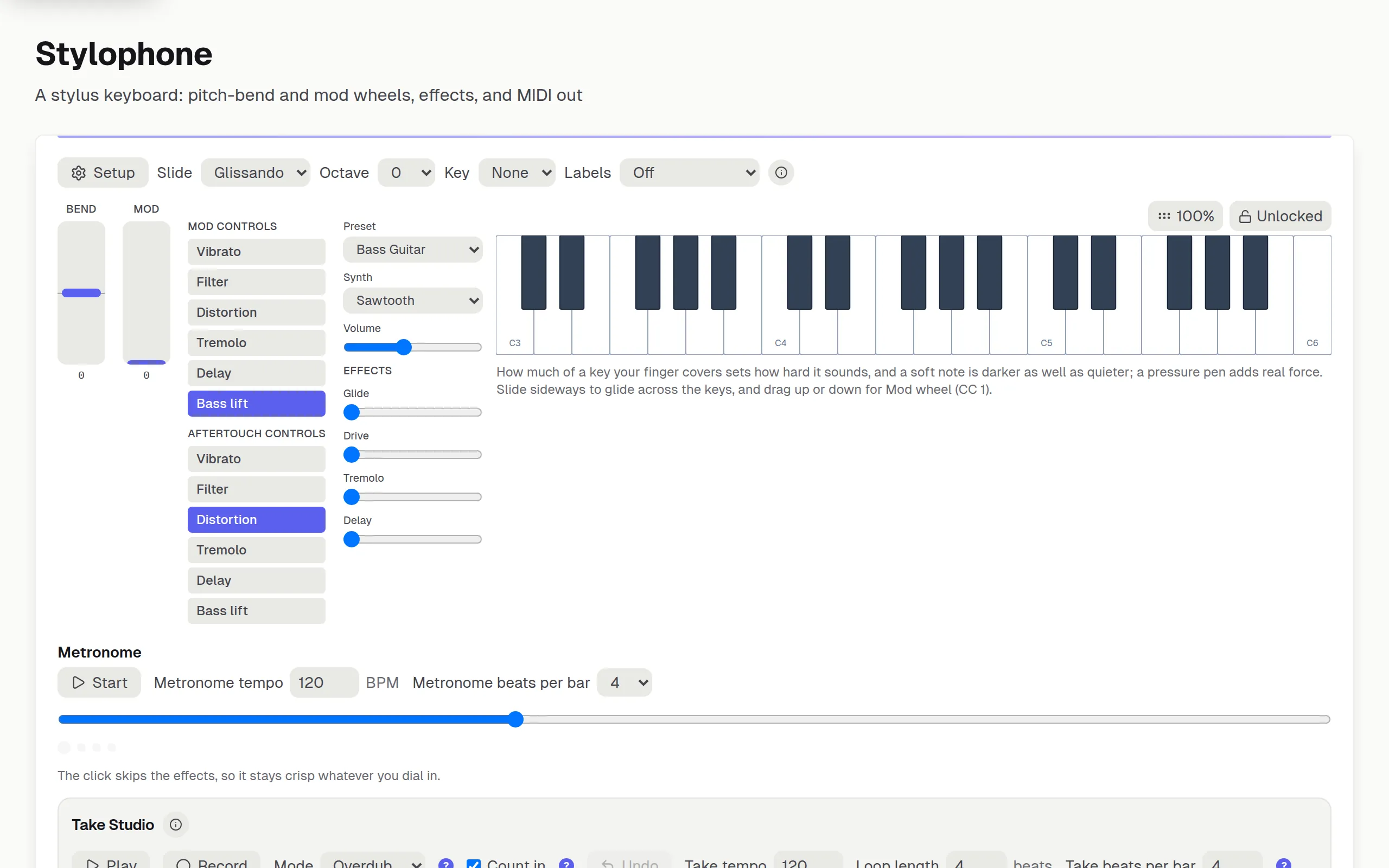
The one you play with a pen. How much of a key your finger covers is how hard the note speaks, and how sharply you move the phone shapes that further; slide along a key and the pitch bends with your hand. If your stylus reports pressure, leaning on a note is real aftertouch rather than a timer pretending. Point it at Ableton or Vital through the bridge and every one of those gestures arrives as its own MPE dimension.
- Velocity from how much of a key your finger covers and how sharply you move the phone — not from where on the key you aimed
- Or from the pen alone: you choose which one speaks
- Slide along a key to bend the pitch continuously, with no frets in the way
- Drag up and down for slide, the mod wheel, aftertouch or loudness — four different messages, and the label names the CC
- Pressure pen support, so leaning on a note is real aftertouch
- Play by moving the phone: how sharply you move it is how hard the note speaks
- Assignable tilt — bend, modulation, timbre or vibrato on either axis
- A hold latch you can rebind to the key or mouse button you want
- Piano or uniform key layout, three key sizes, octave shift and degree labels
- A click track on the page, on the audio clock rather than a timer that drifts
- Full MPE out: per-note bend, slide, pressure and expression on their own channels
- A bridge to your DAW over Wi-Fi or a cable, on a MIDI port of its own — so this is one track in Ableton and not a shared one
- Send it as hardware your DAW already knows, if a preset suits it better than raw MPE
- Take Studio, sold separately: capture the real onset and every curve, edit it in a piano roll, then download it as MPE — or drag it straight into a DAW, in a Chromium browser
Bass & Pad Grid
A pad grid, your bass tuning and a drum kit, on one surface.
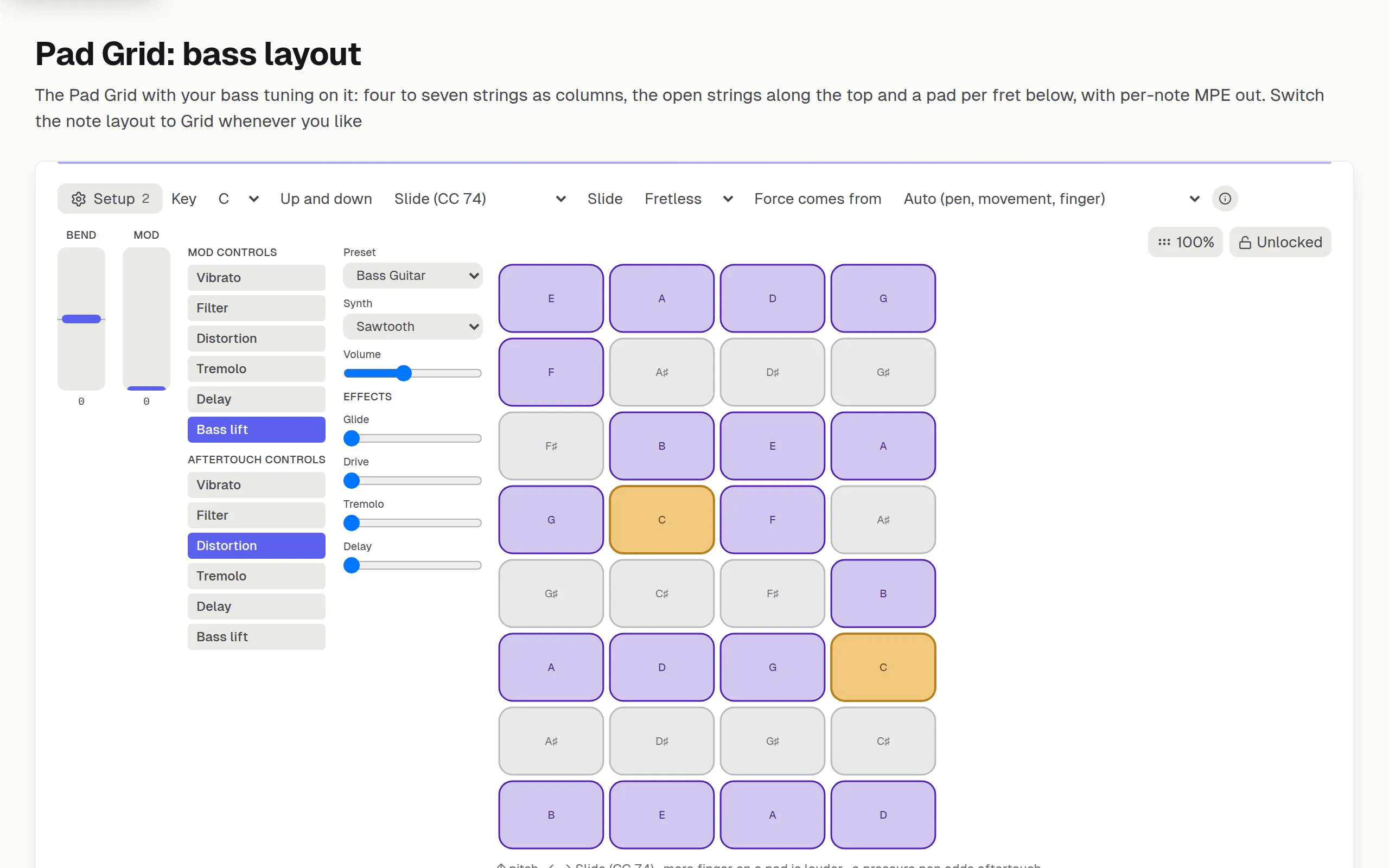
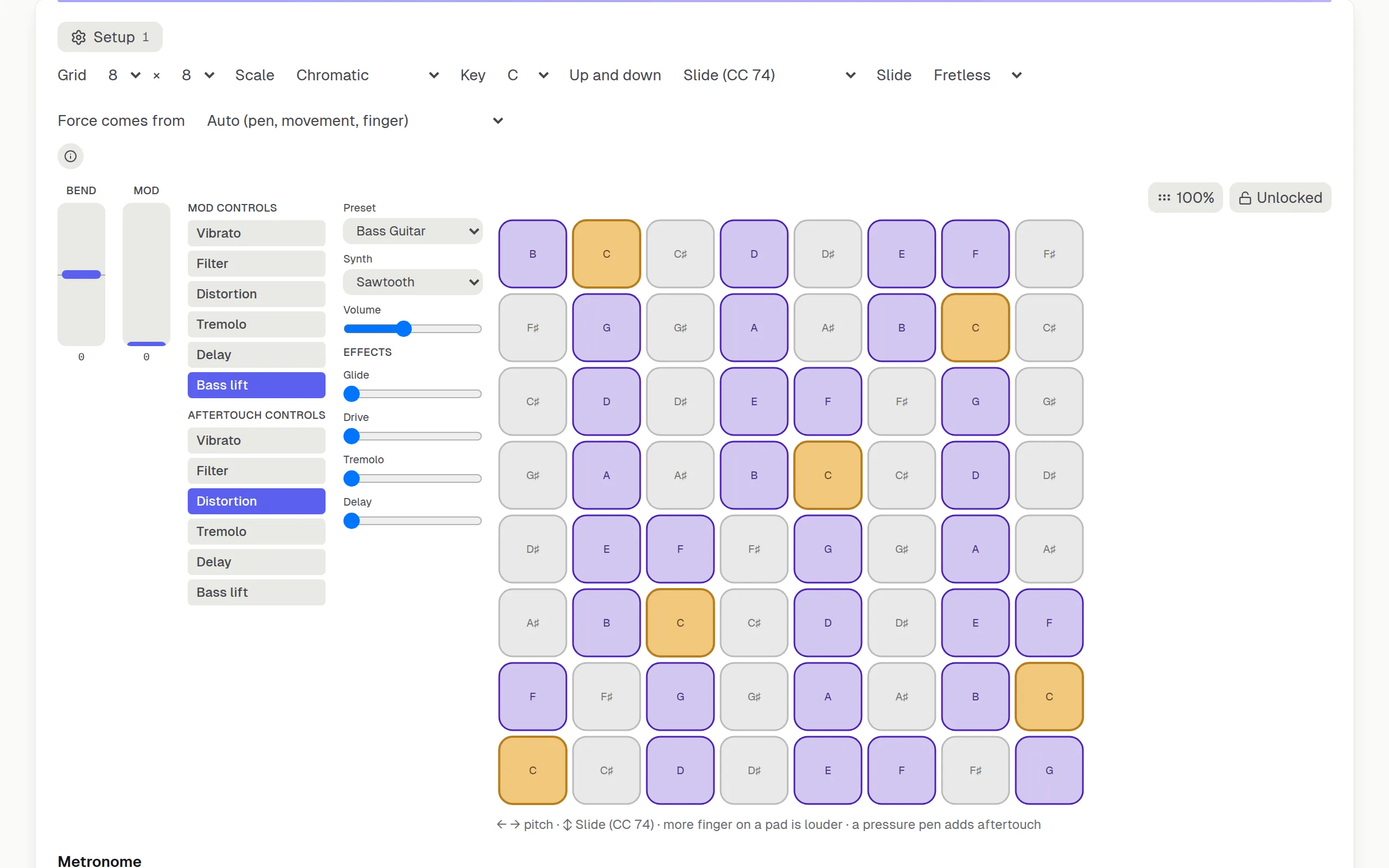
One instrument, two arrangements. The pads are a grid controller in the browser, up to eight by eight, with the low end bottom left where every piece of hardware puts it — or, in the Bass note layout, your own bass tuning, four to seven strings, one column per string and a pad per fret, the way a chord chart draws it. Drums is a synthesised kit of its own. Whichever you pick, the MPE output is the same.
- Two note layouts and a kit on one surface: a pad grid, your bass tuning on pads, and a drum kit
- How much of a pad your finger covers is how hard it speaks, where the screen reports it — on the grid and on the drums alike
- Any bass tuning, four to seven strings, and your own tunings kept alongside
- Up to twelve frets a string, standing up as a chord chart or lying down as tab, mirrored for left-handed players
- Fretless, legato and retrigger slides, chosen on a single control
- Up to eight by eight in the grid, with the low end bottom left where hardware puts it
- Five synthesised drum kits with a knob per drum — nothing to download
- Where you hit across a pad is where the stick lands: the centre thumps, the rim cracks
- Drag down a drum while it rings to damp it, like a hand on the head
- Fold the grid onto a scale, so one pad is one degree in both directions
- Light the pads by musical role, by octave band, or a hue per pitch class
- Sends MIDI notes, and drums on channel 10
- Play by moving the phone, or map tilt to bend, modulation, timbre or vibrato
- Drag up and down a pad for slide, the mod wheel, aftertouch or loudness — four different messages, and the label names the CC
- Choose where velocity comes from: your finger, the pen, the phone, or one fixed level
- The pen’s barrel button holds a note like a palm mute — same pitch, damped
- One voice per finger, so two fingers on one pitch never silence each other
- A bridge to your DAW over Wi-Fi or a cable, on a MIDI port of its own — so this is one track in Ableton and not a shared one
- Send it as hardware your DAW already knows, if a preset suits it better than raw MPE
- Take Studio, sold separately: record what you actually played on the grid, the bass layout or the kit, edit it in a piano roll, then download it as MPE — or drag it straight into a DAW, in a Chromium browser
Theremin
No notes at all, just pitch and a volume hand.
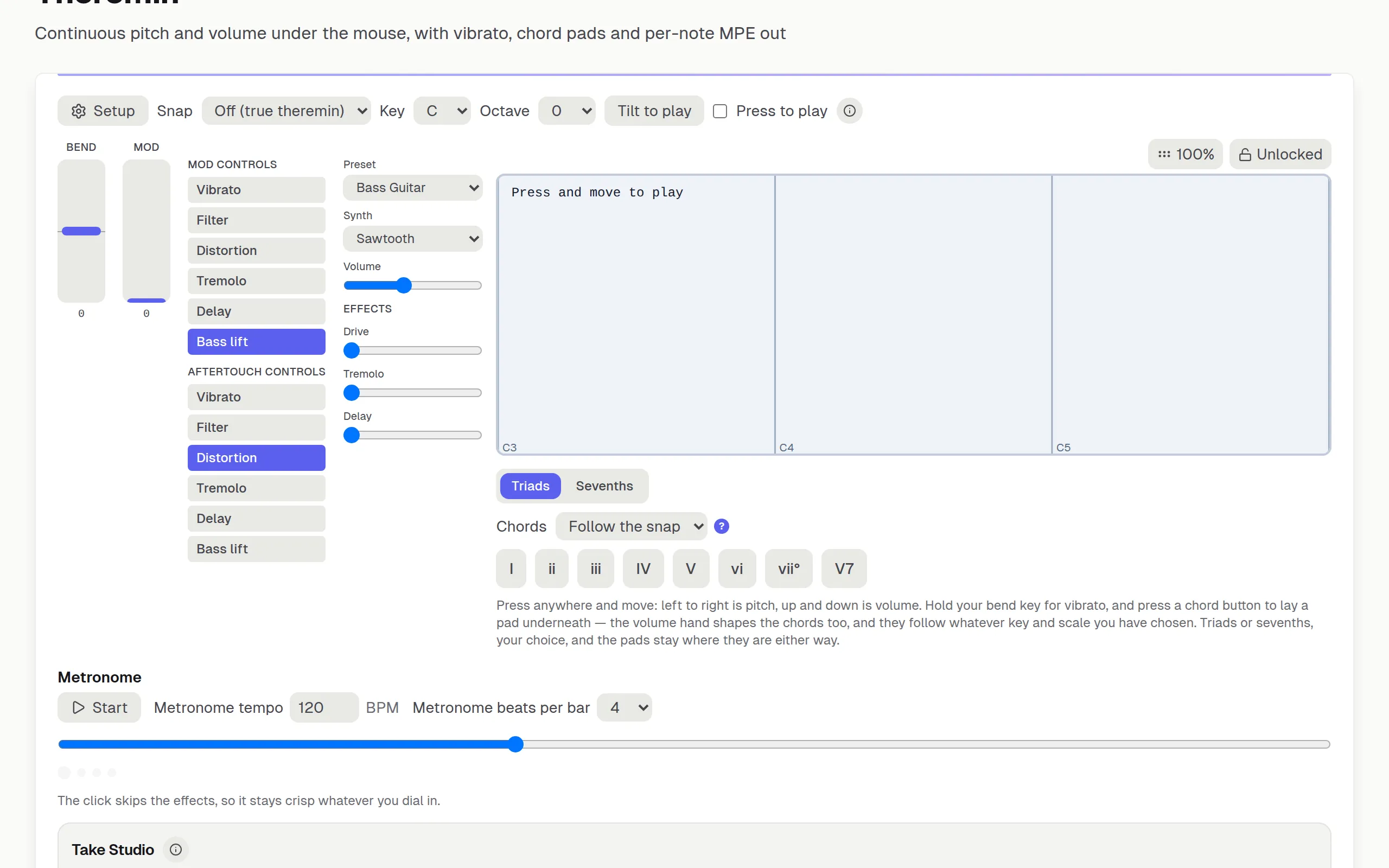
One continuous field, with nothing discrete anywhere in it: left to right is pitch, up and down is volume. Snap it to a scale when you want to land somewhere in particular, or turn that off and slide through everything in between. Nothing here is a note event, so nothing here fits a step grid — which is why it records as a curve instead.
- One continuous field: left to right is pitch, up and down is volume
- Pitch sent as bend, so it glides rather than stepping
- Snap to chromatic, major, minor or pentatonic — or to nothing at all
- The beam coloured by the note you are nearest, and ringed the moment you hit it
- Chord buttons that follow the key and scale you chose — or a chord row you pick yourself
- The volume hand shapes the chords too, not only the melody
- Hold your bend key for vibrato
- Playable by tilting a phone, with no hands on the screen at all
- Pressure from the free vertical axis, and full MPE out
- A click track on the page, on the audio clock rather than a timer that drifts
- A bridge to your DAW over Wi-Fi or a cable, on a MIDI port of its own — so this is one track in Ableton and not a shared one
- Send it as hardware your DAW already knows, if a preset suits it better than raw MPE
- Take Studio, sold separately: a whole glissando captured as the curve it was, chords on their own track, exported as MPE
Playable Staff
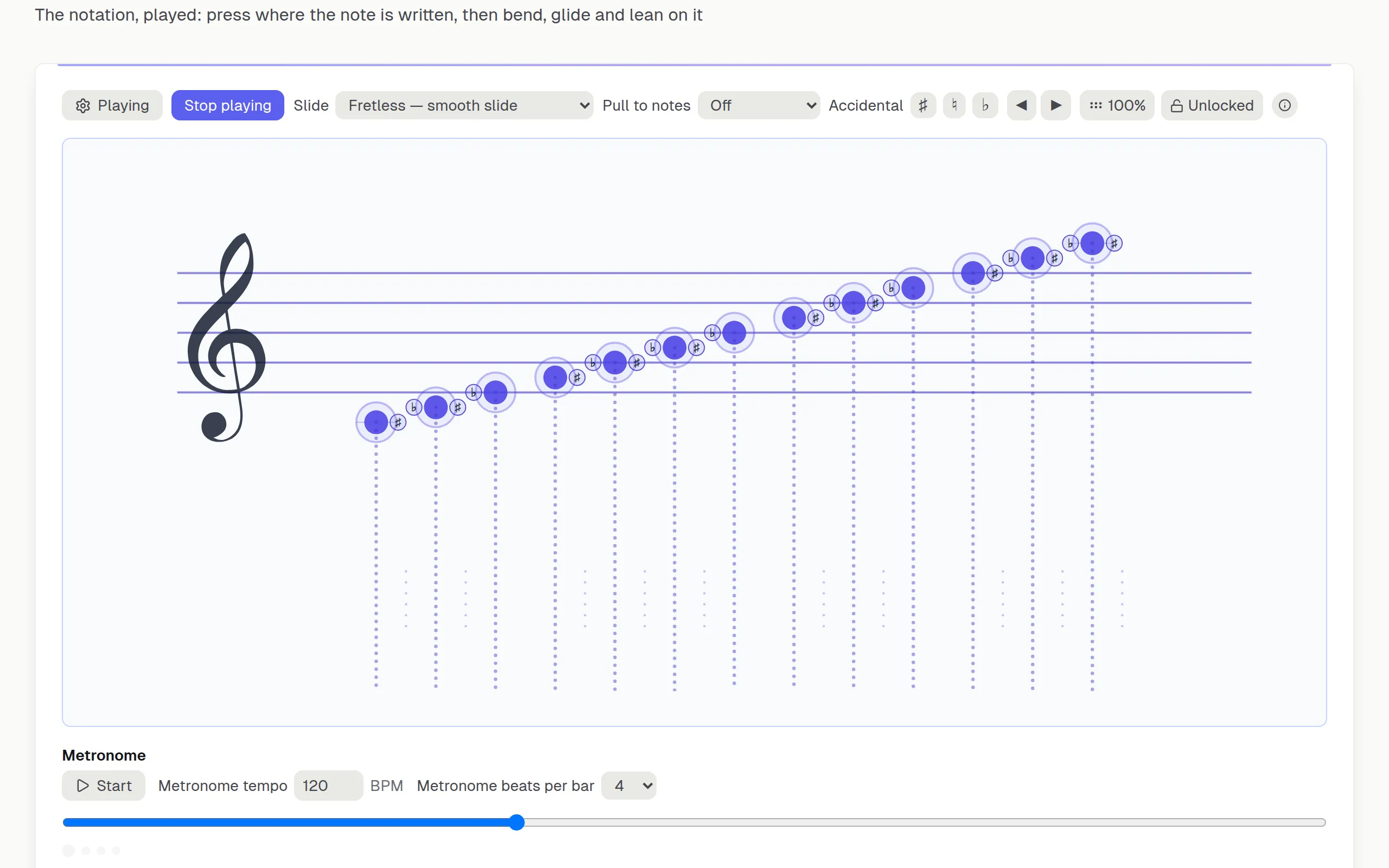
The notation, played. Press where the note is written.
A grand staff you play by pressing the notes on it. Where you press picks the note, and the drag shapes it: sideways and into the corners moves the note — a glide through the pitches in between, or on frets a bend from the corners — while up and down is yours to point, a half at a time: the mod wheel as you drag up to begin with, and whatever you give the half below, slide or pressure, say. It comes with a second surface too, and the layout decides which: spread out and continuous hang a stylophone keyboard underneath, stacked puts a pad grid beside the staff in the staff’s own key. The staff itself is free for everyone, with or without an account.
- Press where a note is written and it sounds, spelled by the key signature
- On the keyboard under the staff, how much of a key your finger covers is how hard the note speaks, where the screen reports it
- Glide, bend and the mod wheel from one finger, locked from the direction you set off in — and up and down split at the note, so dragging up and dragging down can each send something of its own
- The glide walks the staff’s own ladder — a tone from D to E, a semitone from E to F
- The sounding note is drawn where its pitch is written, and names itself in cents once it is between two
- Accidentals sit beside the heads they belong to — press the sharp you can see
- Spread out or continuous: a keyboard under the staff, long keys for the notes and short ones for the accidentals
- Stacked: a pad grid beside the staff instead, folded onto the key you are reading in
- Fretted steps from key to key like a stylophone; Fretless is one continuous ribbon
- Treble, bass or grand staff, in any key, spread out or as one continuous run
- Chords offered as you play, and yours to take, change or refuse — they record onto a track of their own
- Pressure from a pen, the lean of your finger where the screen reports it, a drag or tilt you point at it — and from moving the phone or a swell while held, if you ask for them
- Velocity from how much finger lands on a key, or from the pen, or from movement — you choose which one speaks
- Assignable tilt — bend, the mod wheel, slide, aftertouch, vibrato or an effect (delay, drive or tremolo) on either axis
- Full MPE out: per-note bend, slide, pressure and expression on their own channels
- A bridge to your DAW over Wi-Fi or a cable, on a MIDI port of its own — so this is one track in Ableton and not a shared one
- Send it as hardware your DAW already knows, if a preset suits it better than raw MPE
- Take Studio, sold separately: the real onset and every curve, in a piano roll that colours each note by what it is in the key
Play a song on any of them
Each instrument is also an input in Play Along: open one of 27 public-domain songs, or your own MIDI or Guitar Pro file, and play it on the pads, the playable staff or the theremin while every note is graded for pitch and timing - with the next pad lit before you need it.
Open Play AlongFor producers: what the phone sends, and how it reaches your DAW
The two dimensions a fingertip cannot give you
Tilt · gyroscope
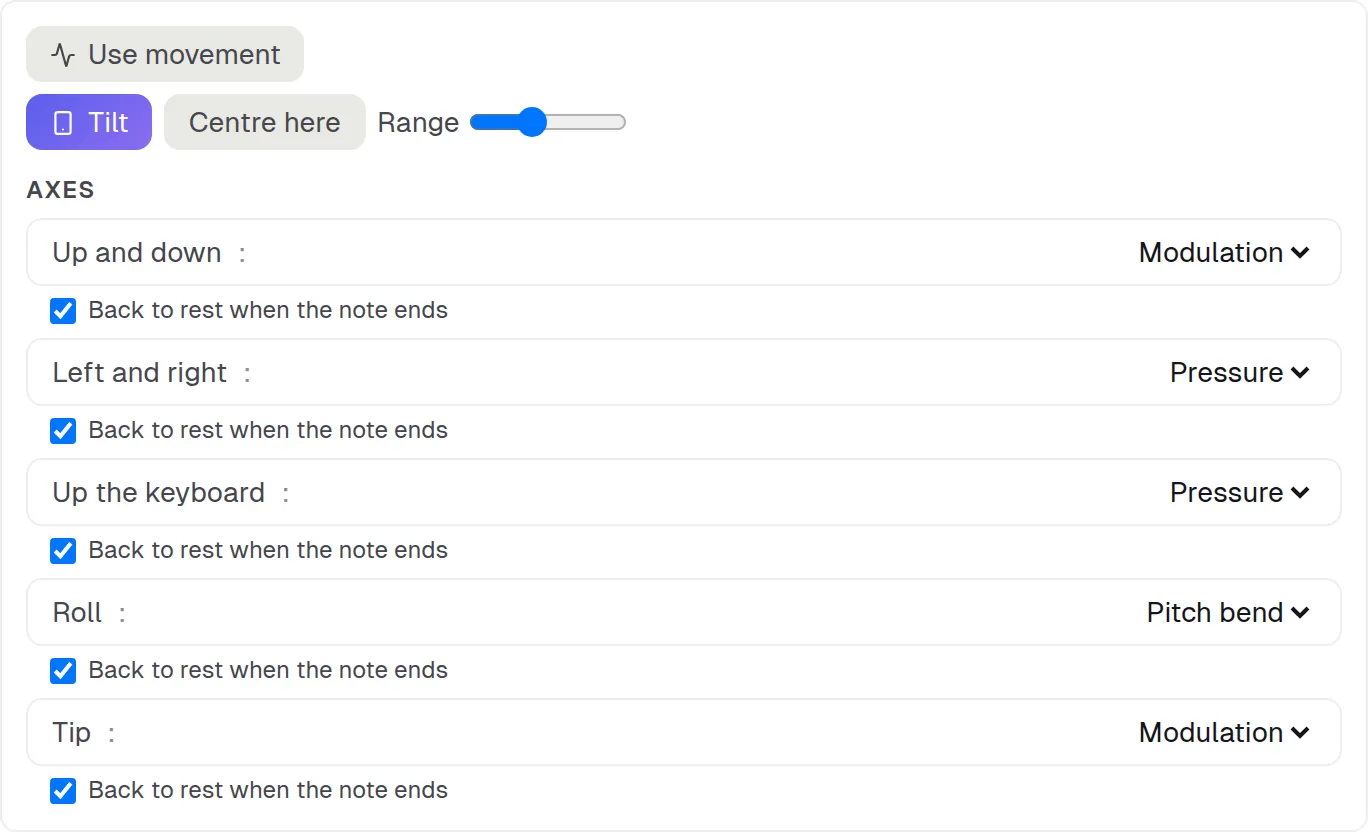
Turn the phone and it bends, modulates, opens the filter or adds vibrato — you pick which axis drives what. The centre is wherever you are holding it, and it follows the screen into landscape, which is how a fretboard is actually held.
Movement · accelerometer
How sharply you move the phone is how hard the note speaks. A decaying peak gives the strike its velocity — the movement that plays a note happens just before the finger lands — and a smoothed follower carries on for as long as you hold it: aftertouch on the stylophone and the pads, the slide (CC 74) on the staff.
Pressure · S Pen
A stylus that reports pressure gives real per-note aftertouch: gain and filter cutoff move under your hand, and it goes out as channel pressure. Where the screen has no pen, movement and the lean of your finger stand in — the lean wherever the screen reports finger size; where there is neither, a dwell envelope does. The playable staff asks first: there a held note is pressed only by a pen, your finger’s lean, or a drag, tilt or movement you point at pressure, and it swells by itself only with Swell while held on.
One source at a time, in that order — a pen if there is one, otherwise the phone’s movement and your finger’s size together (two sensors reading one hand), otherwise the surface’s own stand-in. Never two gestures at once: that is a swell nobody asked for.
What each instrument can do
They are not the same instrument four times, and the differences are worth knowing before you buy one. This is all of it, including where it stops.
What actually goes on the wire
MPE gives every note its own MIDI channel, so bending one note in a chord leaves the others where they are. These instruments send the whole of it.
The zone, set up for you
On connecting, the instrument announces its zone the way the specification says to — a configuration message naming how many member channels it wants, then the bend range on each of them. That is the standard MPE setup, but no DAW turns MPE on by itself: switch MPE on for the port in your DAW once. Channels are handed out longest-rested-first, so a note’s release tail is never cut short by the next note landing on it.
Send as
Generic MPE, LinnStrument, the upper zone, or a narrow two-semitone bend — zone, member count and bend range set together. Change any of the three by hand and the picker says Manual rather than claiming a preset that is no longer true.
Export what you played
A recorded take writes out as a standard MIDI file with tempo and time signature, one track per layer, each with its own MPE setup — and every per-note bend, pressure and slide curve you performed, written against the note it belongs to.
Into a real DAW
A browser cannot create a MIDI port, so a small helper runs beside your DAW and the phone sends it the same bytes over your own network. Nothing is translated on the way — the MPE setup, the channels and the bends arrive exactly as the instrument sent them.
The helper opens one port per instrument — Tutor Stylophone, Tutor Pads, Tutor Theremin and Tutor Staff — so each one is a separate track in Ableton with a full fifteen-channel zone of its own, instead of four instruments fighting over one port. The grid’s up-and-down axis defaults to CC 74 because that is what Live reads as Slide.
- It needs the free helper running on the computer your DAW is on.
- On Windows the ports have to exist first — Windows cannot create them, so loopMIDI makes them and the helper finds them.
- A browser tab on an https page cannot reach a helper on your own network. Use the Android app, or a USB cable with tethering on, which needs no extra software at all.
Start with a song. Stay for the theory.
No account needed to start